 LullabyLink
A baby monitor made of two phones
Two phones. One calm night.
Leave a spare phone in the nursery. Your own phone gets the alert when a sound keeps going. No account, no ads, and nothing is recorded.
Free for your first 3 days, then 1 session a week. Every night: US$15.99 a year or US$29.99 once.
7:30 pm · Bedtime
Set it down, pair it, leave the room
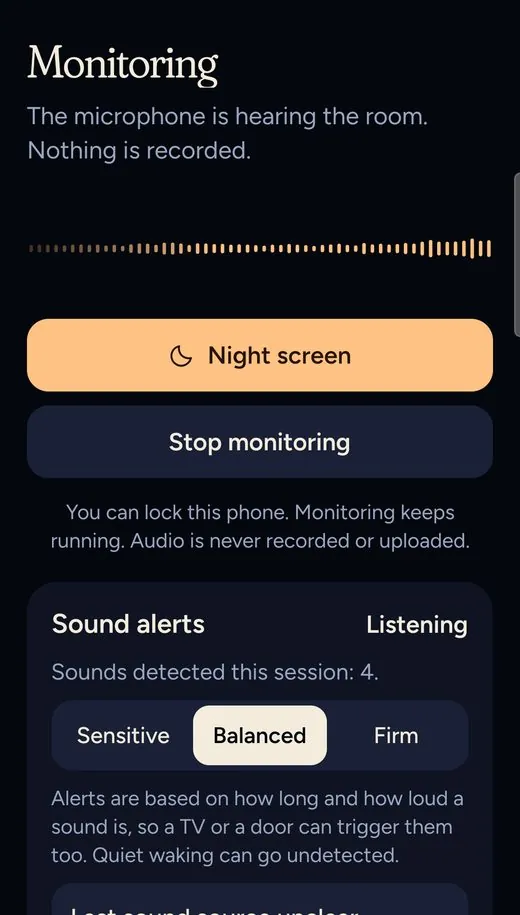
Leave a spare phone in the nursery
Plug it in, at least 1 m from the cot and out of reach. Tap Start monitoring. You can lock it: it keeps listening with the screen off.
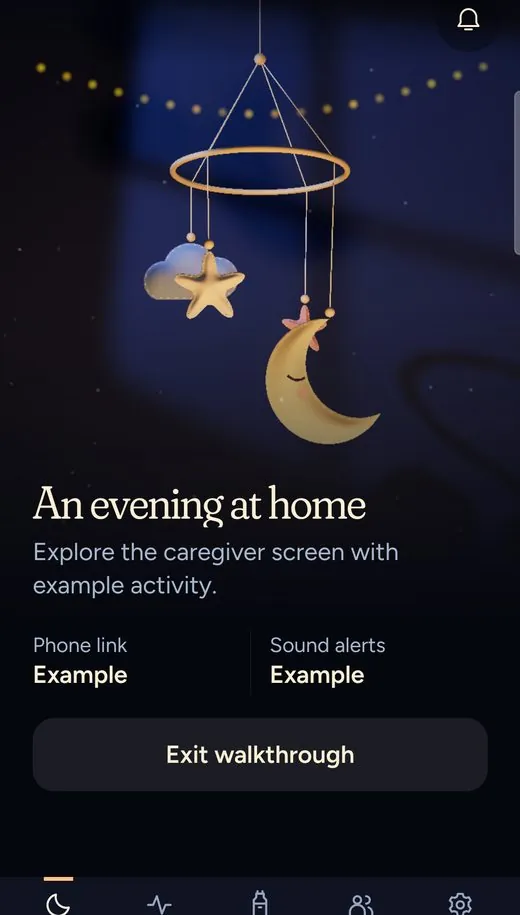
Pair your own phone
Scan the code shown on the nursery phone. No account, no email, no password. On your home Wi-Fi the two phones talk to each other directly.
Get an alert when sound keeps going
Your phone alerts you, with a best guess at what the sound is. That guess is an estimate and can be wrong.
9:00 pm · The house goes quiet
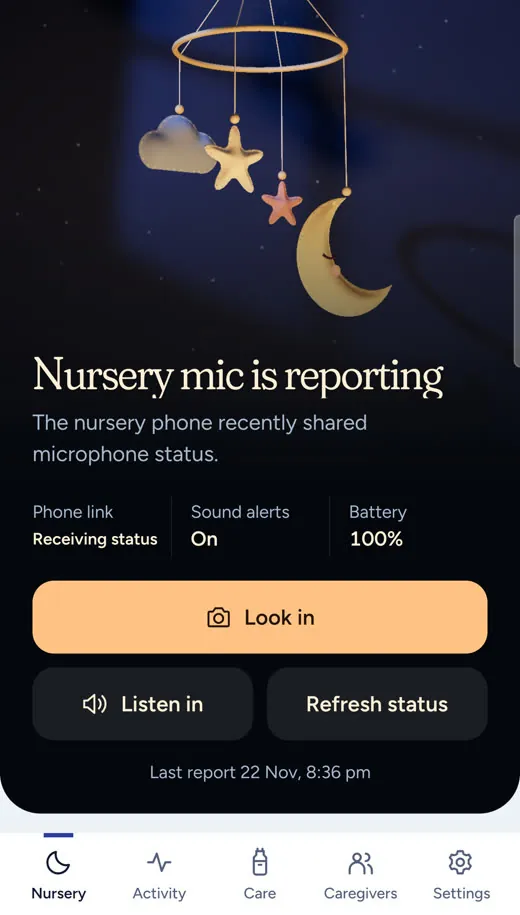
It tells you when it has stopped listening
A monitor that has stopped is silent too. So your phone shows when the nursery phone last reported, and tells you if it loses power, runs low on battery or drops off the Wi-Fi.
- Sound alerts at three levels: Sensitive, Balanced and Firm.
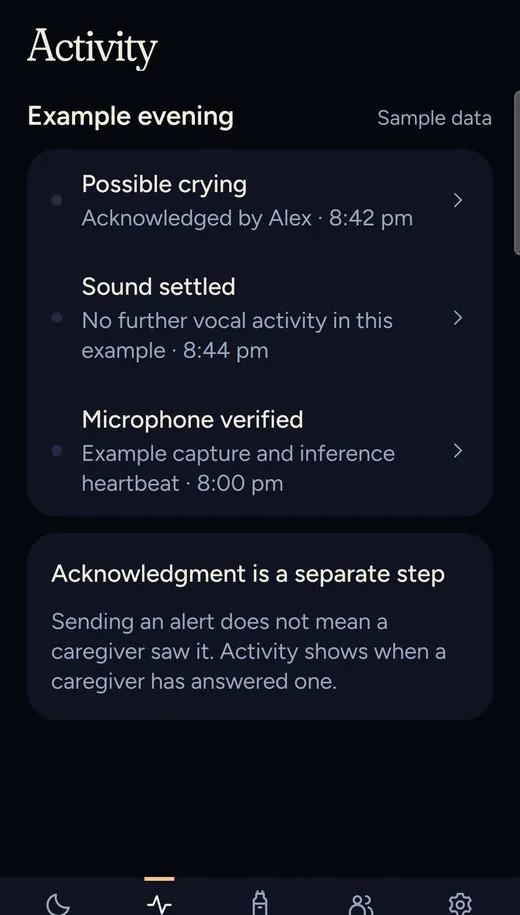
- Every phone in the household gets the alert, and the Activity list shows who answered.
- The nursery phone works locked, with its screen off, or on a dim night screen.
11:20 pm · A stir
A lullaby starts, and the sheep start jumping
Eight sounds are built in, so you need no second app and no speaker. Three play free on the phone in your hand (Brahms’ lullaby, Twinkle, Twinkle and white noise), with a moving picture. Plus adds the other five, and starts them on the nursery phone from your own phone, or by itself when your child stirs.
- Brahms’ lullaby
- Twinkle, Twinkle
- Rock-a-bye Baby
- Hush, Little Baby
- White noise
- Pink noise
- Brown noise
- Rain
- It stops by itself: after 10 or 20 minutes, or 30 or 60 with Plus.
- Five screens: a dim night-light, a sleeping bear, and three moving pictures. Counting sheep is free; the balloon ride and under the sea come with Plus.
- With Plus, record your own voice and play it like any other sound. It is never uploaded; on your home Wi-Fi you can send it from your phone to the nursery phone.
- While a lullaby plays the monitor can miss crying, so keep the volume low.
1:40 am · A sound that keeps going
The alert arrives, even with the internet down
At home your two phones talk to each other directly on your Wi-Fi. There is no cloud in between, so a router that has lost the internet does not stop an alert.
- With Plus: look in, listen in and hold a button to talk, on your home Wi-Fi.
- With Plus: alerts away from home, in the countries where they are offered.
3:10 am · Nothing leaves the room
The sound of your nursery stays in your nursery
- Never recordedSound is analysed on the nursery phone and then discarded. It is not saved and not uploaded.
- No accountNo name, no email, no password. Your phones are paired by a code that one scans from the other.
- No ads, no trackingNo advertising or analytics code in the app, and this website sets no cookies.
6:45 am · Morning
The night, written down
A care journal you can use half asleep: one tap for a feed, a sleep, a diaper or medicine. It stays on your phone, and you can save a backup file.
More about the care journal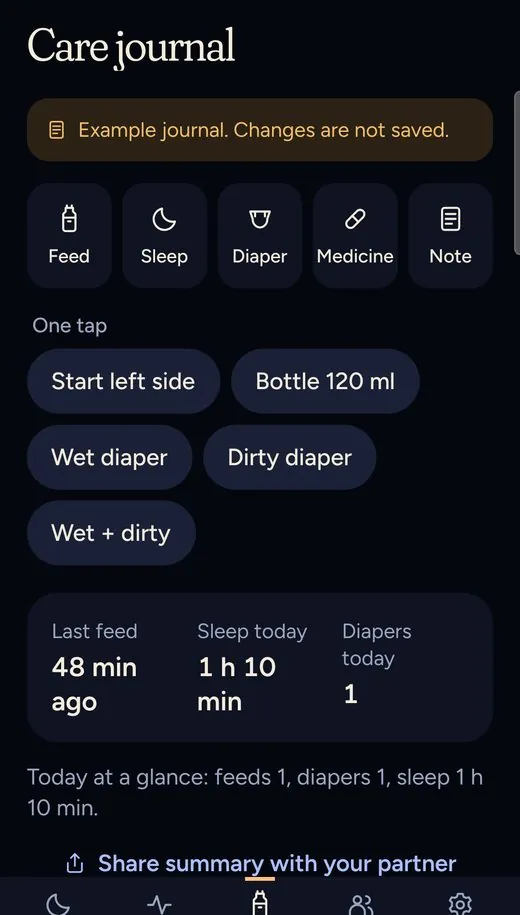
Pricing
Free for 1 session a week. US$15.99 a year for every night.
Your first 3 days are unlimited. One purchase covers every phone in your household.
Free
US$0
No account, no card, no ads.
- Unlimited monitoring for your first 3 days, then 1 session a week. A session is one nap or one night, and a running session is never cut off
- Sound alerts over your home Wi-Fi, also when the internet is down
- A notice if the nursery phone stops reporting or runs low on battery
- Night screen for the nursery phone
- Care journal: feeds, sleep, diapers, medicine
- Three lullabies and sounds on the phone in your hand, with a 10 or 20 minute timer
- No ads, no account
LullabyLink Plus
US$15.99 a year, or US$29.99 once
14-day free trial on the yearly plan. Prices vary by country. Google Play handles the payment.
- Monitoring for every nap and every night
- Alerts away from home, in the countries where they are offered
- Look in, listen in and talk, on your home Wi-Fi
- Movement alerts from the nursery camera
- All eight lullabies and sounds, five screens and longer timers, also started from your phone
- Every phone in your household, with one purchase
Questions
Questions parents ask
Can I use an old phone as a baby monitor?
Yes. Install LullabyLink on a spare phone, leave it plugged in in the nursery, and pair it with your own phone by scanning a code. The nursery phone listens to the room and alerts your phone when sound keeps going. It needs Android 8.0 or newer.
Is LullabyLink free?
LullabyLink is free for occasional use, with no account and no ads. Your first 3 days are unlimited. After that, 1 monitoring session a week stays free, along with the care journal. LullabyLink Plus monitors every nap and every night and adds alerts away from home, live video and sound, movement alerts, lullabies started from your phone and your own recorded voice. Three lullabies and sounds on the phone in your hand are free. Plus costs US$15.99 a year after a 14-day free trial, or US$29.99 once. Prices vary by country.
What happens when my free sessions are used up?
Nothing stops in the middle of a nap or a night. The limit is only checked when you tap Start monitoring, and a session that is running is never cut off. A session is one nap or one night, up to 12 hours. After 1 session in seven days, the nursery phone shows when the next free session opens, or you can start LullabyLink Plus.
Does LullabyLink record or upload my baby’s audio or video?
No. Sound and camera images are analysed on the nursery phone and then discarded. Nothing is recorded, and audio and video never reach our service. Live video and live sound travel directly between your two phones on your own Wi-Fi.
Does it work without internet?
Yes, at home. In Home Wi-Fi mode the two phones talk to each other directly on your Wi-Fi network, so alerts arrive even when the internet is down. Alerts away from home need an internet connection on both phones and LullabyLink Plus, in the countries where that is offered.
Does LullabyLink detect crying?
It alerts you when sound in the nursery keeps going for a second or two, and adds a best guess at what the sound is, such as “sounds like crying” or “sounds like a fan”. The guess is an estimate made on the phone. It can be wrong, and quiet waking can go unnoticed.
Does the nursery phone keep listening when its screen is off?
Yes. Monitoring keeps running while the nursery phone is locked and its screen is off, and a notification shows that it is listening. Your phone tells you if the nursery phone stops reporting, for example when it loses power or Wi-Fi.
Can I see or hear the nursery live?
Yes, with LullabyLink Plus, when both phones are on the same Wi-Fi. You can look in, listen in, and hold a button to talk. The nursery phone shows a notice whenever someone looks or listens, and you choose on that phone whether each request needs a tap there.
How many phones does one purchase cover?
One LullabyLink Plus purchase covers every phone in your household: the nursery phone and each parent or caregiver phone you pair with it. Buy on one phone and the others unlock by themselves.
Which phones and languages are supported?
LullabyLink runs on Android 8.0 and newer today. An iPhone version is planned. The app is available in English, German, Spanish, French, Italian, Portuguese, Dutch, Polish, Turkish, Indonesian, Hindi, Japanese and Korean.
Is LullabyLink a medical device?
No. LullabyLink is a convenience tool that helps you keep an ear and an eye out. It does not monitor breathing, does not prevent SIDS, and does not replace adult supervision. Keep the nursery phone and its cable out of your child’s reach, at least 1 m from the cot.
How do I delete my data?
LullabyLink has no user accounts. The household owner can delete everything our service holds in the app, under Settings, Delete household and its data. Uninstalling the app removes what is stored on that phone, including the care journal. The steps are on the delete-data page.
Reading
Before you choose a monitor
- GuideHow to choose a baby monitor app: eight questions
Which baby monitor app is best depends on your home. Eight questions to ask, a ten-minute test to run tonight, and the answers for LullabyLink.
- GuideBest baby monitor apps for Android in 2026, compared
Dormi, Annie, Bibino, Baby Monitor 3G and LullabyLink compared from their Google Play pages: price, ads, platforms, and who each suits.
- GuideHow to help a baby sleep: what the NHS and AAP advise
What the NHS and the AAP advise: day and night, a bedtime routine, how much babies sleep, and where they should sleep.
- GuideBest free white noise and lullaby apps, no ads (2026)
Lullaby and white noise apps compared from Google Play: which show ads, what they cost, what they play, and what to check.
Coming to Google Play
The app is finished and in testing on real phones. Until it is live, see how it works, or watch the film on the home page.